Create Disk Bay Layout
New Disk Bay Layout can be created in Disk Bay Layout view using wizard or manually.
New Layout Wizard
This wizard creates table-style layouts only. To start the wizard, click . This launches the Layout Wizard.
This configuration of a new layout can be done in one of three ways:
- Load predefined layout
- Select one of the predefined layouts that may fit your system. If an appropriate layout is not listed, try the next option.
- Generate default Disk Bay layout
- Define your hardware as a disk array arranged in an X (columns) by Y (rows) grid. You may adjust this later, so this serves as a starting template. A table-style layout will be created.
- Automatically generate Disk Bays for all available physical ports
- This option defines your Disk Bay Layout based on the disks recognized by your system's Device Manager. The disks are placed
in individual rows when the layout is generated. The result would appear as follows:
Figure 1: Auto-generated Layout 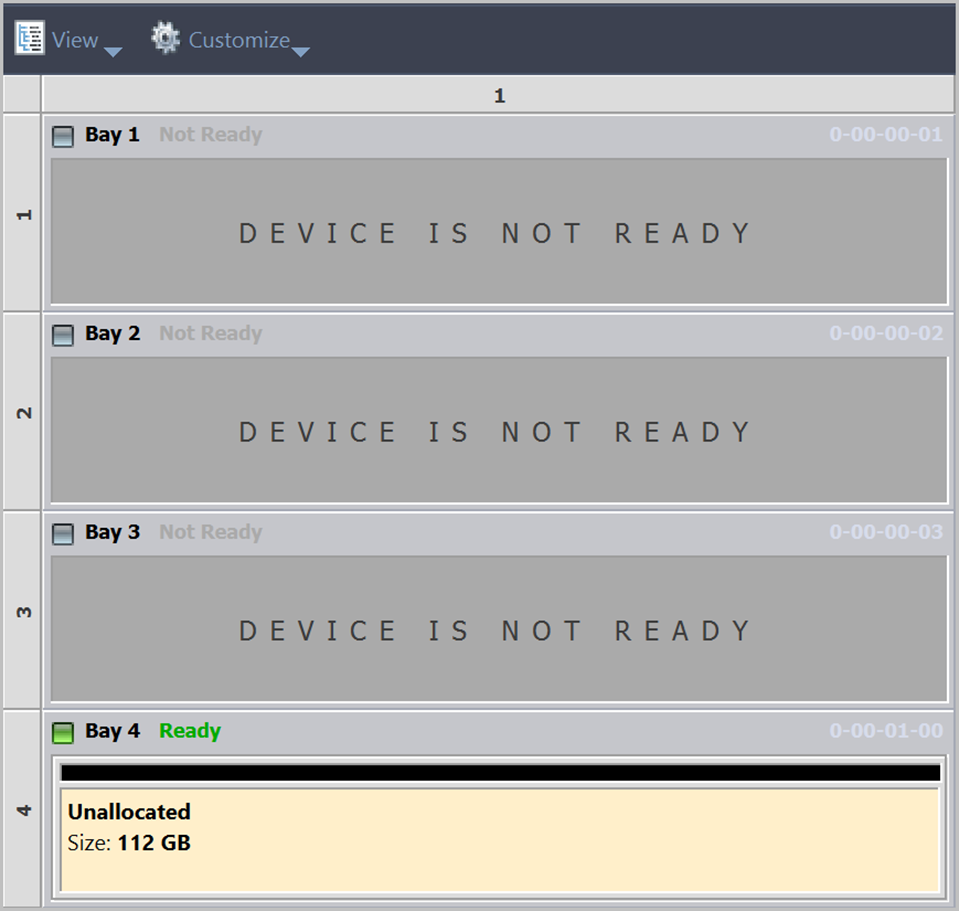
Finally, select desired option and click Create button to create a default Disk Bay Layout.