Disk Area Selection
Active@ KillDisk has an option to specify a particular area on the disk to erase. To access this feature you have to select the single disk first. In Local Devices view initiate the Erase Disk command.
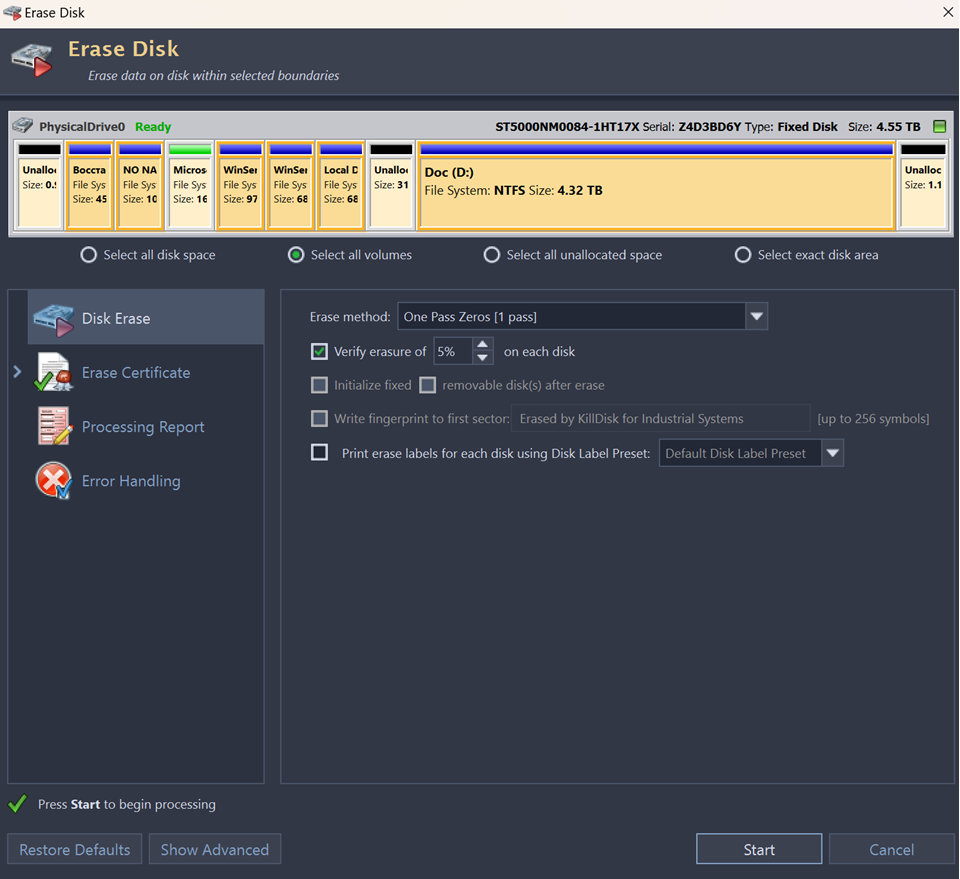
Disk area options for the erase are:
- Select all disk space
- This is a default disk area option and applies to entire disk surface to be erased;
- Select all volumes
- This option erases all existing volumes and partitions on the disk;
- Select all unallocated space
- This option erases only unallocated disk areas, where volumes and partitions do not exist;
- Select exact disk area
- Use sliders on the disk visualization in order to select a particular range of sectors. You can also click on sector numbers and type particular sectors manually.
You may also click on individual partitions and they will be selected for erasure.