Replace BOOTDISK.KEY in C:\MOUNT directory with BOOTDISK.KEY
located at the root of Boot Disk media (F:\ BOOTDISK.KEY). This file is required and
contains user's registration information.
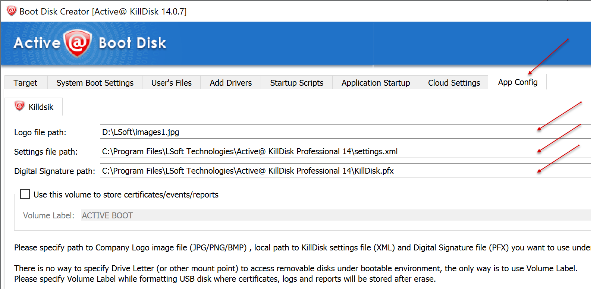
Copy logo
Copy your company logo file from Boot Disk media (located F:\_kd\images1.jpg) to C:\MOUNT directory.
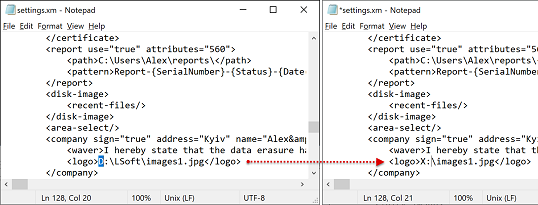
Edit settings.xml
Open settings.xml file on Boot Disk media (F:\_kd\settings.xml) for edit using
Notepad. Change path for your company logo file to X:\.
Copy modified settings.xml to C:\MOUNT\PROGRAM FILES\BOOTDISK\.
Create the folder with scripts if needed
Create folder BootDisk_Scripts in C:\MOUNT\PROGRAM FILES\BOOTDISK\. In any text
editor (Notepad) create script file and copy it to the newly created folder BootDisk_Scripts. For
example: