Search in Disk Viewer
To search text or byte sequence in Disk Viewer view :
- Click Ctrl+F shortcut key or
- Use Find... button in Disk Viewer's toolbar then Find text dialog will appear or
- Press Find... button in menu Edit.
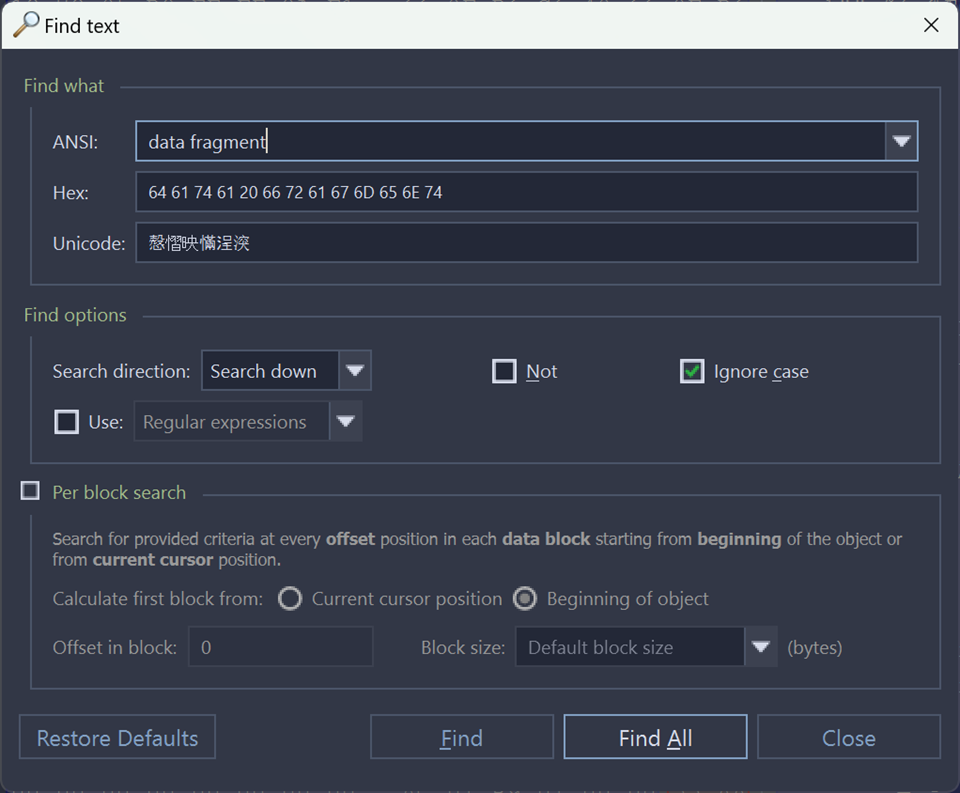
- Find what
-
Search pattern to find. Required. Can be set in one of the following formats:
- ANSI - text pattern, Regular expressions and wildcards can be used. History of ANSI search patters is preserved for next sessions and can be selected from drop-down list.
- HEX - search pattern in hexadecimal format.
- Unicode - search pattern in Unicode format.
Note: When search pattern is entered in one of the find what text fields, the other two related fields will interpret entered value in correspondent format. - Find options
-
Regular expressions and Wildcards can provide even greater search capabilities.
Search direction will specify search direction from the current cursor position.
Not option search for characters that do not correspond to the Find what parameter.
Ignore case disables case-sensitivity in text search
- Per block search
- When this option is on, then search applies on per block fragments of context object. This method could be useful to search for repeated pattern, for instance at certain position (offset) in each and every sector (block).
Find command will initiate search process and will pause at first search result entry. Use Next button on dialog or F3 keyboard shortcut to continue paused search.
When using Find All command, list of all search entries will appear in Find Results view. Use this list to navigate between search result entries (if any).
Find INSI data
Searching UU ANSI data with the follow parameters: ignore case, per block search with calculate first block from current cursor position, offset in block 3 and 1024 bytes block size.
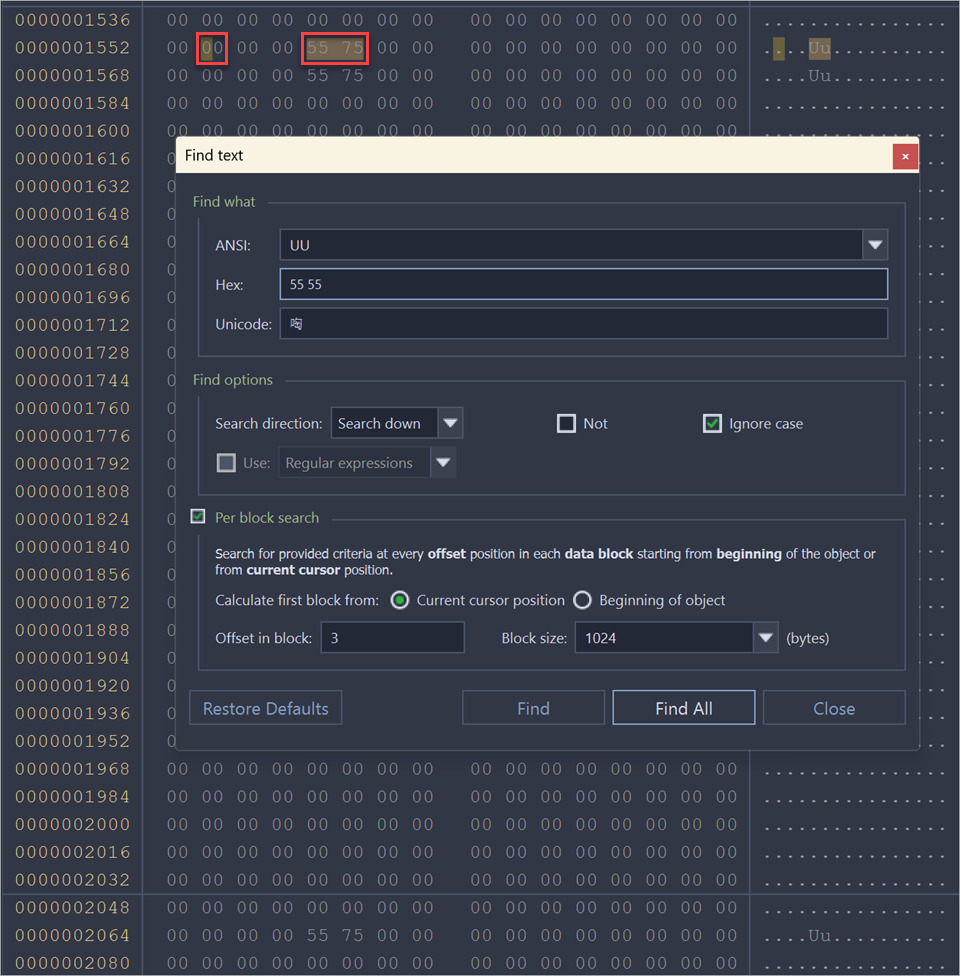
Using the option Ignore case allowed to expand the search to the next variants: UU, uu, Uu, uU.
Current cursor position parameter allows to specify the beginning of the block, the block size is specified in the field Block size.
Thus, the value located at the Offset 1556 was found, but the value at the offset 2068 was not found.
Find data using regular expressions
Searching ANSI data with the follow parameters: use regular expression U{2}[0-9], ignore case.
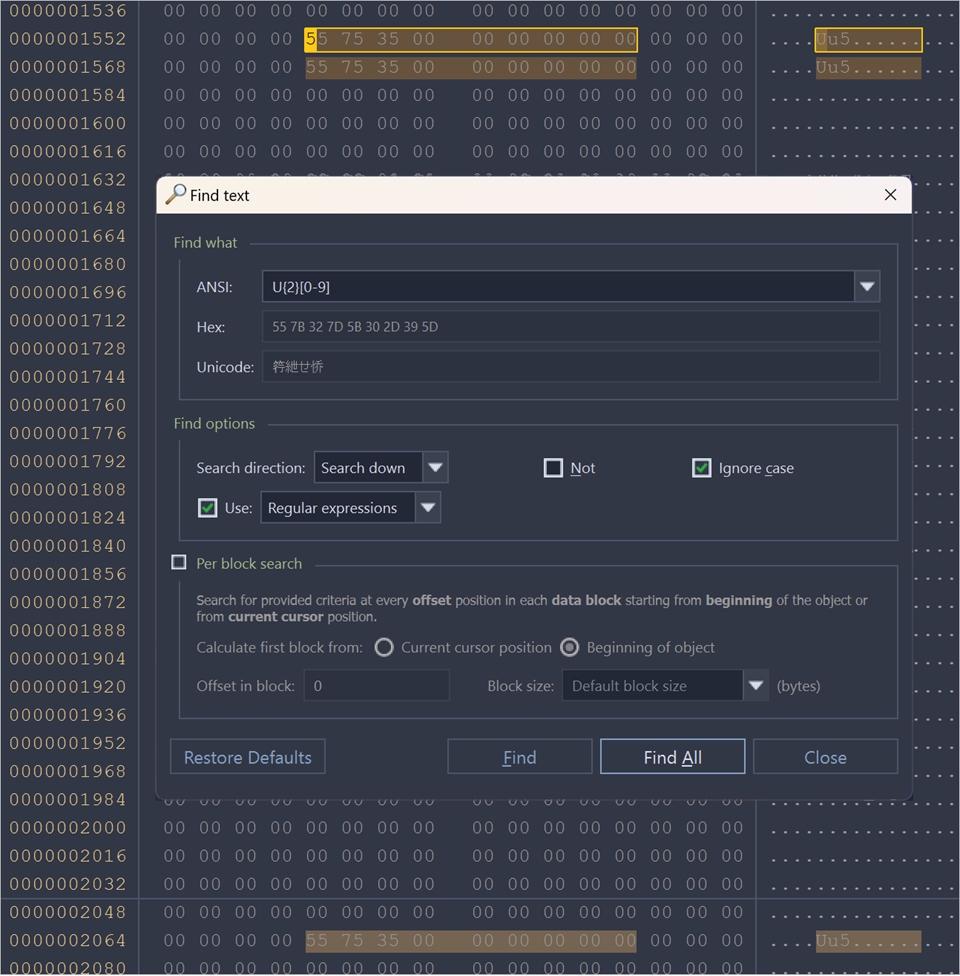
Using Regular expression U{2}[0-9] allow to search two symbols U successively and digit after they.
Browsing search results
After search completed, result entries (if any) are listed in Find Results view, grouped in subsequent search results, with offset (address) and short preview snippet. To focus on individual search result entry double-click on it in list or use Goto button in view's toolbar.
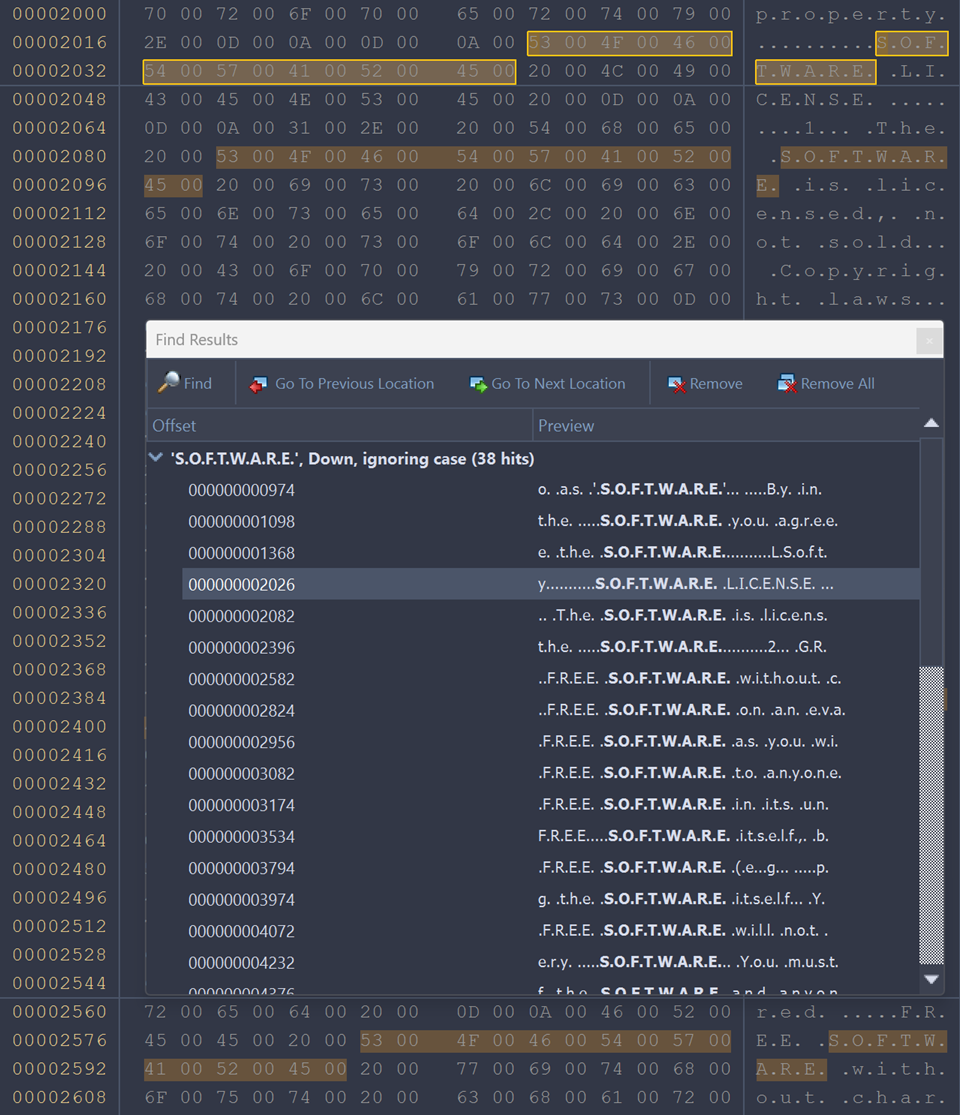
All search results are highlighted in Disk Viewer view.
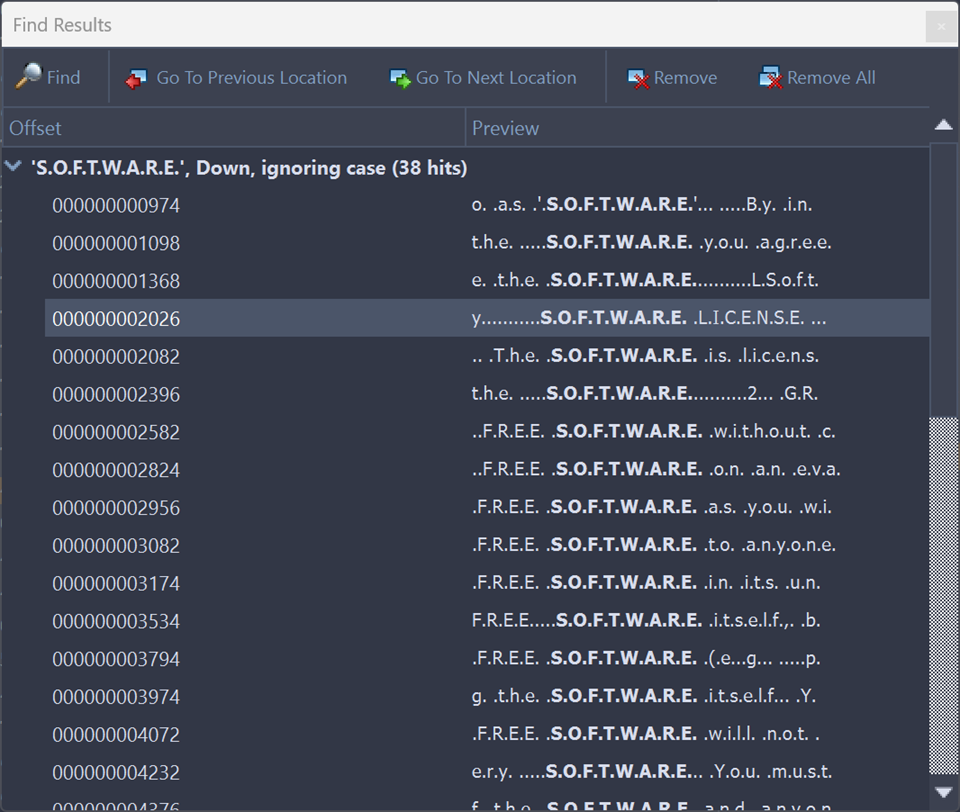
- Find
- Open Find dialog for a new search
- Go Previous Location
- Move cursor to previous search result
- Go To Next Location
- Move cursor to next search result
- Remove
- Remove selected search result or search group from list
- Remove All
- Clear search result list
Use context menu in Find result view to interact with each search entry individually.