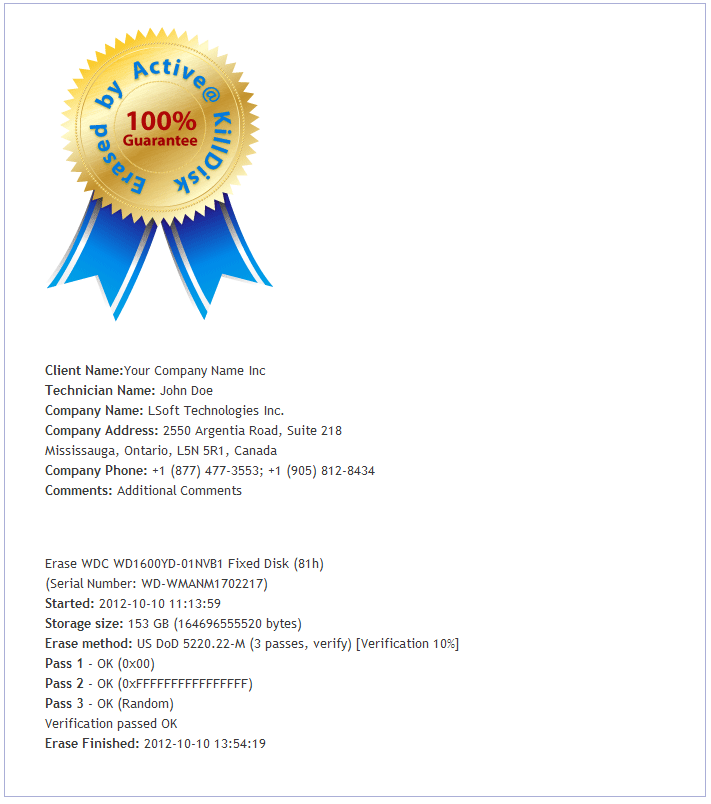
After an operation is completed successfully, information on how drives have been erased or wiped is displayed in the Event Log at bottom of the screen. The text can be saved in a log file and as a certificate that can be printed or saved as a PDF file for future printing.
An example of an erase session saved in a Log file is displayed below.
---------------------------------------Erase Session Begin------------------------------
2014-05-30 11:13:59 Active@ KillDisk v.9.0.527 started
   Erase method: US DoD 5220.22-M (3 passes, verify) Passes: 3 [Verification 10%]
   Erase WDC WD1600YD-01NVB1 Fixed Disk (81h) (Serial Number: WD-WMANM1702217) - 153 GB
   Started: 2014-05-30 11:13:59
   Pass 1 - OK (0x0000000000000000)
   Pass 2 - OK (0xFFFFFFFFFFFFFFFF)
   Pass 3 - OK (Random)
   Verification passed OK
   Finished 2014-05-30 13:54:19
2014-05-30 13:54:28 Time taken: 02:40:21
2014-05-30 13:54:28 Erasing completed for 1 device
---------------------------------------Erase Session End-------------------------------
2014-05-30 13:54:28 Rescanned hardware
A summary of errors is presented in this report if the process encountered errors from, for example bad clusters.
Details of this report are saved by default to a log file located in the folder from which you started Active@ KillDisk.
Log file location can be changed in Settings.
If XML export option is turned on, log file can be exported, and look like:
<?xml version="1.0" encoding="utf-8" ?> <killdisk_log> <event> <type>Info</type> <time>2014-05-30 13:57:22</time> <text>Initialized Active@ KillDisk 9.0.527, Kernel 4.05.27, 32-bit executable</text> </event> <type>Info</type>
|
This document is available in PDF format,
|

